

URAO 10 Inch Android 15 Tablet 8 Core Tablets 24GB+128GB 1TB Expansion WiFi6 5MP+8MP Stylus Keyboard Mouse Headphone PC PAD Set
Black bundle / EU / China Mainland
$139.00
Sale price
$139.00
Regular price
$0.00
Skip to product information


$139.00
Sale price
$139.00
Regular price
$0.00
SPECIFICATIONS
Brand Name: URAO
Camera: Front Camera,Second Webcam,Front Webcam
Cell Capacity: 5000mAh
Certification: CE,FCC
Display Resolution: 1280x800
Display Size: 10"
Extend Port: 3G External
Feature: FM,OTG,ULTRA SLIM,Dual Cameras,Tablet Pen
Front Webcam Pixels: 5 MP
Google Play: Yes
High-concerned chemical: None
Item Type: Tablet PC
Memory Capacity: ≥8GB
Net Weight: >500g
Network Communiction: WiFi
Operating System: Android 15
Origin: Mainland China
Package: Yes
Panel Type: IPS
Processor Model: others
Second Webcam Pixels: 8MP
Supporting Language: English,Russian,Spanish,Swedish,Portuguese,Turkish,Italian,German,Chinese,French,Japanese,Polish,Ukrainian,Greek,Hebrew
Tablet Storage Capacity: 128 GB
Brazil: Overseas warehouse shipping, no cross-border taxes
United States: Overseas warehouse shipping, no cross-border taxes
【Dual-Function 2-in-1 Tablet】URAO Android 15 Tablet is a game-changer with 2-in-1 professional work mode. The tablet is compatible with a Bluetooth keyboard, mouse, stylus, headset, and a convenient foldable case. The setup and connection process is straight forward, enabling you to effortlessly transform your tablet into either a laptop or a computer mode. Friendly Tips: Mouse does not come with batteries.
【High Performance】URAO Android tablet features the latest operating system Android 15 and an 2.0 GHz octa-core processor ensure of excellent performance, seamless multitasking, getting rid of annoying ads, emphasizing privacy and security by designing enhanced app permissions, providing you complete management control.
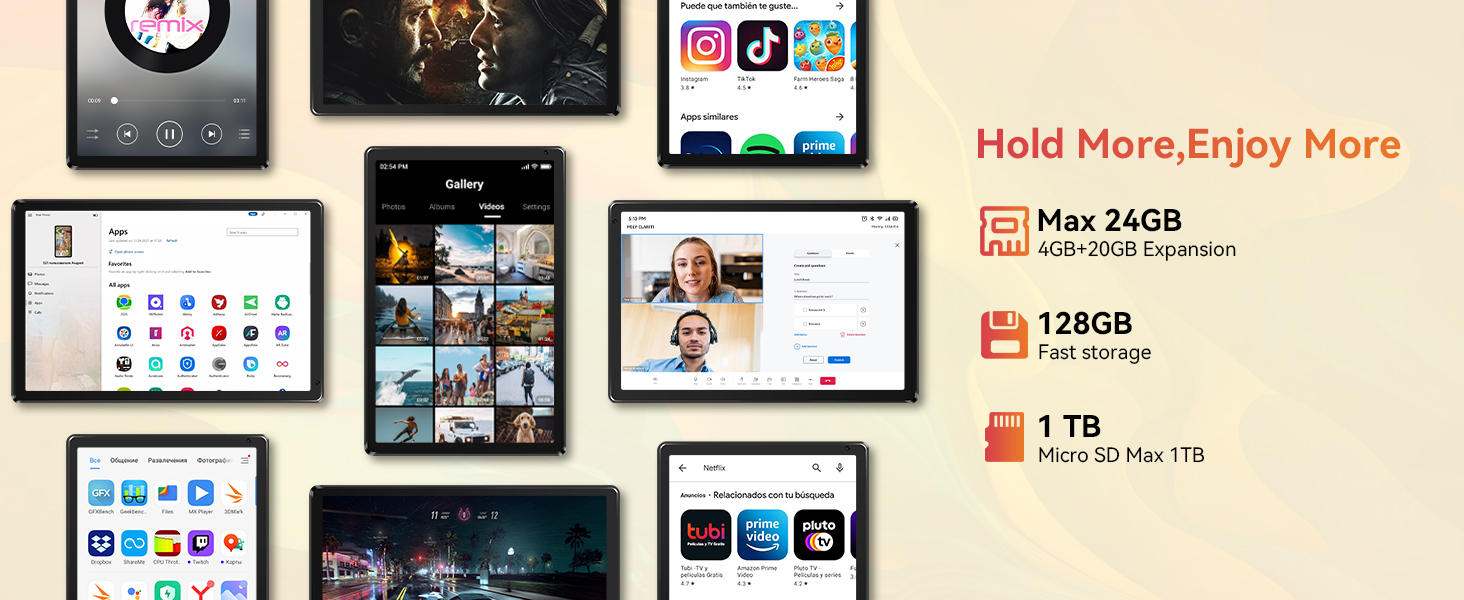
【Massive Storage 】Our Android tablet comes with 24GB (4+20GB) RAM 128GB ROM and maximun 1TB TF card ( not included )expandable ensures you of a fast APP launch and smooth gaming experience. URAO tablet also come with pre-installed Google Play Store, you can easily download any needed Apps such as Facebook, Twitter, Youtube, etc.
【Large Capacity Battery with Fast Charge】The built-in large capacity and low consumption CPU enable our URAO 10 inch tablet to stand by for up to 3 days and allows you to enjoy up to 8 hours of mixed reading, watching TV shows, playing games, surfing the web. URAO tablet adopts fast-charging technology which can be fully charged in 1.5 hour and easily charge via the USB Type-C port and rest assured the battery will last. It is a good companion for you to play and study!
【Wi-Fi 6+Bluetooth5.0】URAO android tablet 10 inch adopts the lastest sixth generation WiFi technology and the upgraded bluetooth 5.0. Dual band integrated chips make the 5g WiFi and 2.4g WiFi more stable and the lastest bluetooth 5.0 connection supports all your favorite accessories, highly increased the speed of data transfer, improved network capacity and reduced network delays.




Q1. The tablet doesn't power on
.Reboot your tablet after charging for 30 minutes;
·Press the power button to see if the tablet is in Sleep Mode;
·Press and hold the power button for 10 seconds to turn off the tablet, then reboot it;
·Press the reset button with a pin to reset the tablet.
Q2. The tablet doesn't charge
·Charge the device for at least 30 minutes, in case the battery was completely drained;
·Make sure the USB cable is properly plugged into the charging port;
·Try another compatible USB cable and adapter.
Q3. Error message occurs during operation
·Uninstall the app displaying the error message, then download and install again;
·Press the reset button with a pin to reset the tablet.
Q4. The tablet cannot be detected by the computer
·Make sure the tablet is powered on;
·Try another USB cable;
·Try another USB port on the computer;
·Instead of Charge this device, choose Transfer files or Transfer photos (PTP) when connecting the tabletto the computer.
Q5. The tablet cannot connect to the Wi-Fi
·Make sure the Wi-Fi on your tablet is ON;
·Make sure you input the correct password;
·Reboot the router;
·Make sure there is no filter setting or device connection limitation in the settings of the router;
·Forget the current Wi-Fi, reset the router and connect to the network again.